Your data and reports: what you see and what you keep
Updated on
On this page (5)
What the monthly report includes
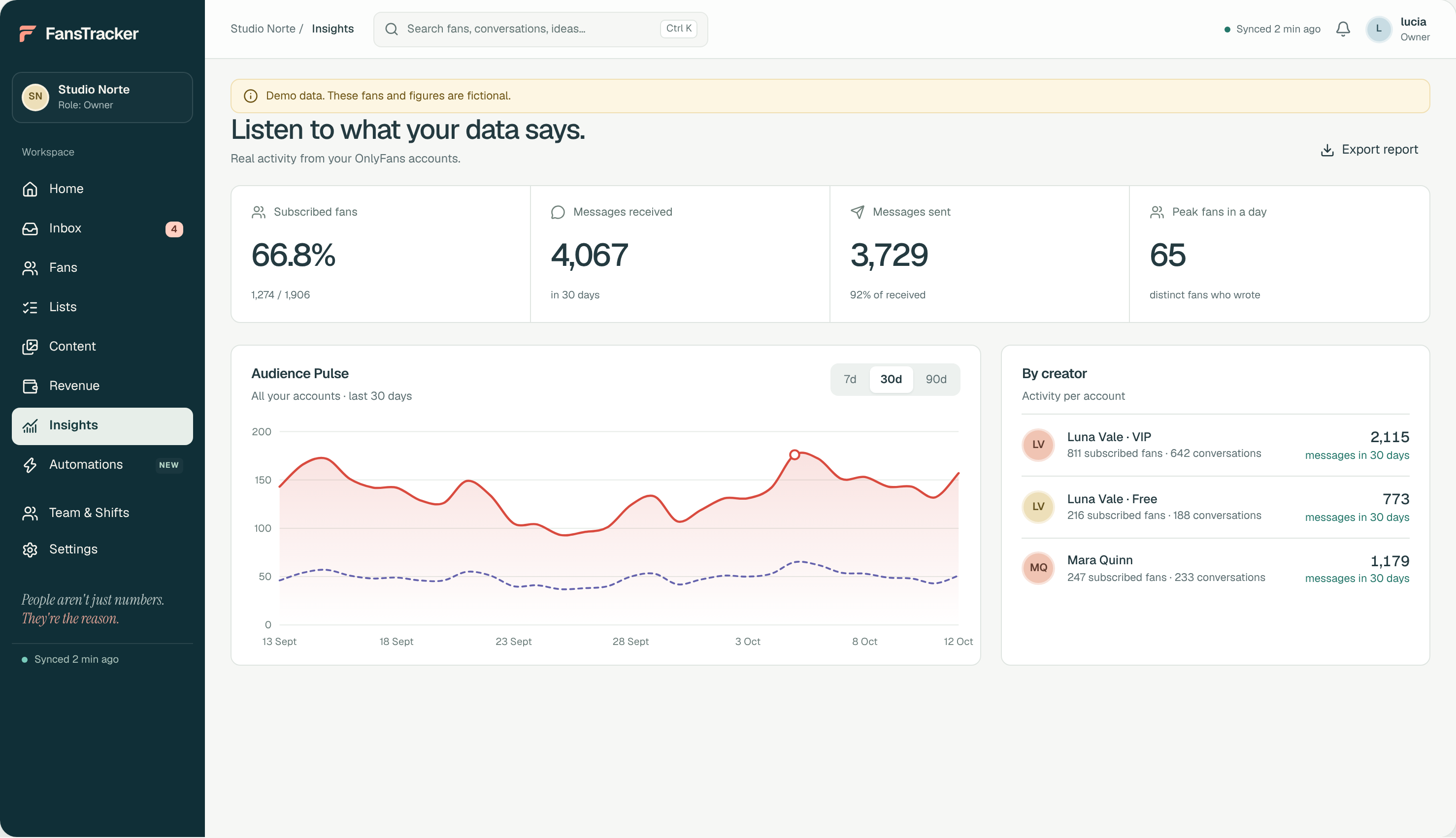
The report comes from your account data in FansTracker and from OnlyFans statistics, which you can also see in your own dashboard. It is not a marketing summary: these are numbers with their source and what we are going to do about them.
- Subscribed fans out of the total, and how that changed from last month.
- Chat activity: messages received and sent, and how many different fans wrote in.
- Trends over 7, 30 and 90 days, so you see the direction and not just the month.
- Which promotions we ran and what each one brought in.
- What worked, what did not and what we change next month.
Take your data with you whenever you want
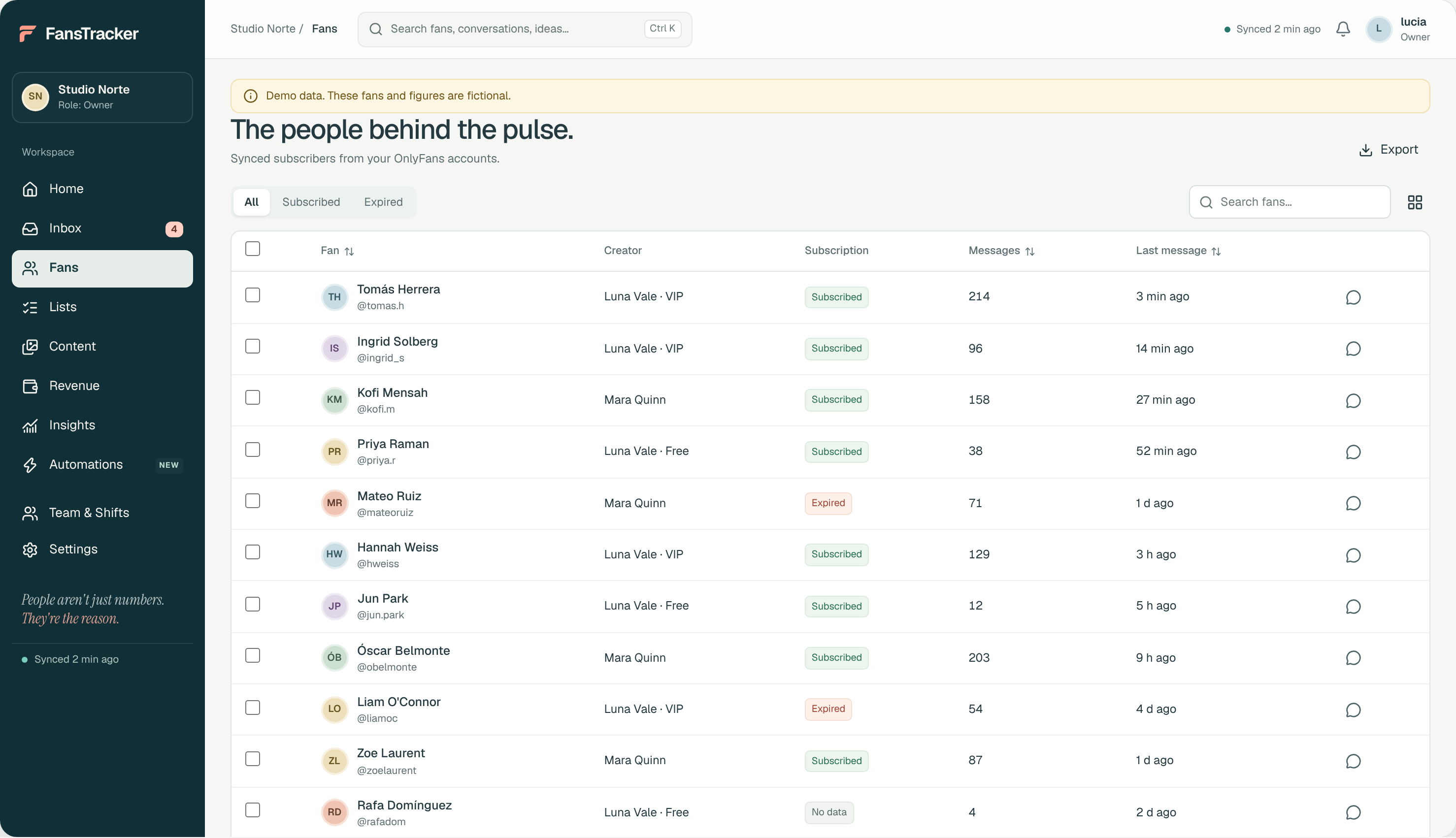
Your fan profiles and segments (who is subscribed, who has expired, the notes that help treat them well) can be exported to CSV from FansTracker. We hand them over whenever you ask and, above all, when you leave: so you do not start from scratch with whoever runs your account next.
What we cannot show you yet
We prefer to be upfront. In FansTracker, earnings sync and the creator portal are in development. Until they are ready, the earnings figures in the report come from the OnlyFans statistics dashboard, the same one you see, and we show them with a screenshot and a date.
Once the portal exists you will be able to see in real time what is sold in your name, at what price and by whom. We will not announce it as done until it is.
What we do with your fans' data
Your fans' data is only used to manage your account. It is not sold, not combined with other accounts and never leaves the CRM except to be handed to you. When we finish, after handing you the export, your account is unlinked and stops syncing.
Internal notes about each fan are never sent to OnlyFans or to the fan, and your vault files are not stored in the CRM.
Frequently asked questions
Can I see my account data without waiting for the report?
Yes. You always have your OnlyFans dashboard and you can ask us for the export of your fan profiles and segments whenever you want. The portal to see everything in real time inside FansTracker is in development.
What data do I keep if I leave the agency?
The CSV export of your fan profiles and segments, plus your account, your content and your history, which are always yours. We put it in writing in the contract from the start.
Are the numbers in the report reliable?
Every number says where it comes from: FansTracker or the OnlyFans statistics dashboard, with a date. If a figure is incomplete, we flag it instead of rounding it up.
Do you use my fans' data for other accounts?
No. Each account's data is only used to manage that account. It is never combined with other creators' data or sold to anyone.
Sources
- Security at FansTrackerFansTracker
Data checked against the official sources on the date shown. Platforms change their terms: check them before you decide.
Shall we look at your account?
Tell us where you are and we will send you a free audit with what we would change. No strings attached.
Get your free audit- No upfront fee
- No penalty if you leave
- Commission in writing before you sign